Новости > Показать отдельно

Эмулятор Mattel Aquarius.
- Added ROM, cassette, and Quicktype images from several different sources.
- Util/WAV->CAQ logger. It's enabled if ROM Hacks are enabled. With this selected, the emulator will write out a CAQ file for WAV data it attempts to read during a normal cload/cload* operation. Please note that cload truncates files when it reaches some number of nulls. Also, cload* truncates files when it reaches the end of the array it's loading. And, of course, the Aquarius tape format has no checksums or qualtiy-of-data checks, so it's entirely possible for framing errors to occur and you'd never know about it. Caveat Emptor. You might want to wait for someone to write a real WAV2CAQ utility.
- Slightly changed WAV file handling, which, I hope, makes it more like the real computer. The real computer won't change state unless the input level hits a certain point, which smoothes out noise. Also, previous versions of the emulator were reading the waveform inverted; that's been fixed.
- Fixed WAV loading to recognize WAVs written by programs that don't do the header right (which unfortunately includes most sound editors, but not the one I use so I didn't know about this problem).
- The power up beep now works reliably. The emulation is now delayed until well after the window appears on the screen, but you didn't need to know that.
- Full Screen mode can now access the menus. Right click on the full screen to toggle menus.
- ROM Hacks are enabled by default. ROM Hacks provide emulation trapping for faster I/O for cassette input, cassette output, and printer output. This feature is available only when using the built-in S2 ROM.
- Save RAM behavior changed; now the file is saved to the directory the program was run from.
- Save RAM behavior changed; now filters memory through the cartridge scrambler.
- Fixed a bug in which bringing up a dialog box would zero the AY sound registers.
- You can't turn off the border any more. On the plus side, you got Full Screen mode. On the minus side, you need a better computer to run Virtual Aquarius. But then, your computer is probably newer than mine anyway (mine is from, like, 1998), and mine runs it just fine.
- The sound buffers will attempt to resynch themselves when no sound has been playing for a while (a half-second or so). This is detected by the speaker clicker not being written to and by the three AY chip volumes being set to 0.
- The POV hat can be used as the control disk in a modern USB joypad.
- The Help/About box has my newer pictures on it. :)
- Util/Load Binary -- This is useful for assembly language program development.
- Util/Screenshot (F11)
- Util/Full Screen mode (F12 to toggle)
- Util/Paste -- this Quicktypes text that was on the text clipboard, i.e. Copy from Notepad and Paste onto Virtual Aquarius.
- Some file access routines are smarter about remembering which file you were using last. It takes getting used to, but it really is better than before. Really.
- The emulator should no longer crash when you have Configure/System Timing>Speed up when accessing files checked.
- Soft Reset is now F9 on the keyboard.
- Hard Reset is now Shift F9 on the keyboard.
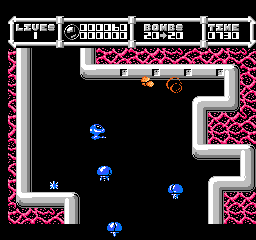
Cybernoid: The Fighting Machine
Игры NES / Dendy


» [SNES] Super Mario World - нужна помощь с графикой 21:25
» Картридж PS1 для PIO порта 21:24
» [GCN] GameCube — тест не- и малопопулярных игр 21:21
» Эротизм в играх 21:16
» RTHextion: новый hex-редактор для ромхакинга и переводов 21:11
» [SMD] Создание собственной многоигровки на одном чипе 20:59
» Playstation 1 без звука с Audio CD 20:11
» [3DO] Mortal Kombat II: 3DO Edition 20:04
» Picostation PS1 20:04
» Пройденные игры 19:45
» Не пройденные (заброшенные) игры 18:56
» [GBA] Sigma Star Saga 17:01
» Balloon Fight - 4 players hack 14:39
» Ретроигровые стримы и видео 2nd Channel 14:10
» [SNES] RoboCop Versus The Terminator / Stargate - поиск шрифта 13:12