Новости > Показать отдельно

Эмулятор PC-Engine / Turbo Grafx-16 для Windows.
- The function to convert a "bad 3Mbit Rom-image file (over dumped with
specific dump machine)" was added.
- Operating a "bad Rom-image file" troubles other PCE/TG16 emulators.
The converted "just proper" image file can be used with [a lot of other Free PCE/TG16 emulators], too. This is a "fair" method for the "PC Engine & TurboGrafx16" emulator and the PCE/TG16's fan. - When setting it to "BigAudioBuffer Mode", the amount of the buffer was increased. As a result, tone quality has improved.
- "FullScreen Customize" menu was added to "Screen" menu. It is possible to use it by an arbitrary display resolution at full-screen. And, when the check is put on "FullScreen ResolutionAuto Change" of "FullScreen Customize" menu, "display resolution" can be automatically switched by "resolution of the game (width 256,336,512)". * It is a function to use it on the display such as 15kHz cathode-ray tubes.
- In the SuperGrafx's game with black belt display right and left, the bug to which garbage had been ultra uncommonly displayed was corrected.
- Additionally, a detailed part has been improved and corrected.
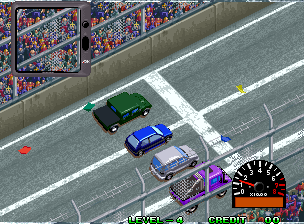
Over Top
Игры MAME



» Новости игровой индустрии и не только 06:06
» Обложки игр 04:06
» Angry Video Game Nerd и другие 03:36
» Эмуляционный арт 03:15
» [PC] Battletoads Returns: Triple Punch 03:06
» Какие игры по тем или иным вселенным вам нравятся больше на NES, чем на SMD/SNES 02:54
» Ecco the Dolphin - не до конца оцененный шедевр 02:26
» FlashKit MD с Aliexpress - стоит ли покупать? 02:12
» Прохождение "Beyond Oasis" без Ифрита (джинна, духа огня) 23:35
» Что такое "шедевр" в рамках игровой индустрии? 23:16
» [SMD] Dune: The Battle for Arrakis 23:15
» [PC] Mortal Kombat Trilogy: Arcade Edition 22:49
» Picostation PS1 21:16
» Эксперимент с Русскими шашками (SMD and AI) 21:09
» [NES] конвертер VCD game 300 20:55