Новости > Показать отдельно

bsnes WIP
Ice, 04:38, 27-06-2005
byuu, автор эмулятора bsnes, сообщает о прогрессе своего эмулятора:
- <b>06/25/2005 - Fullscreen Mode
- Added back in fullscreen mode support, and an option to wait for vertical retrace. I also starting using the DirectDraw7 interface so that I can set the refresh rate for fullscreen mode to 60hz.
- However, this code change has caused all sorts of fun problems. It seems to be absolutely impossible to get the code to go between fullscreen mode and windowed mode without screwing up the window sizing/positioning, and there's a 1-pixel thin line of garble on the right and bottom in fullscreen mode. And I'm also reworking the win32-specific window manipulation code. So basically, everything's a mess right now. It'll probably be a while before I can get it cleaned up enough for another release.
- Update: Found the problem. My bpanel program was changing the workarea every 200ms (the Windows shell is very aggressive in controlling this, so I have to do this), and this was what was causing problems with switching between windowed and fullscreen modes. I know of no fix for the issue, but it only seems to happen when bpanel is running with a particularly low setting for the workarea refresh rate. Since bpanel hasn't even been released publically, I won't worry too much about it for now.
- 06/25/2005 - IRQs
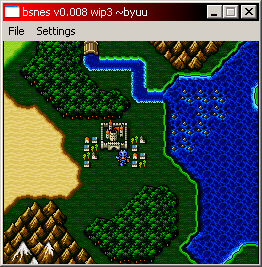
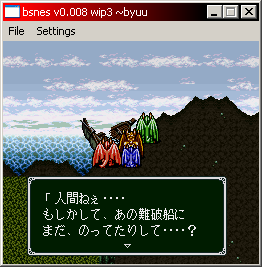
- While trying to figure out why FF4 was hanging after the mode7 intro, I noticed the game used VIRQs. It set a VIRQ for scanline 1, then once on scanline 1, it set another for scanline 221. Well, my code only allowed one VIRQ per frame (or one HIRQ per scanline). So I changed the code to reset the IRQ frame disable variable whenever the IRQ position counters were updated. This seems to have fixed a lot of games. Madara 2, GOD, F-Zero, Metroid 3, and I'm sure many more.
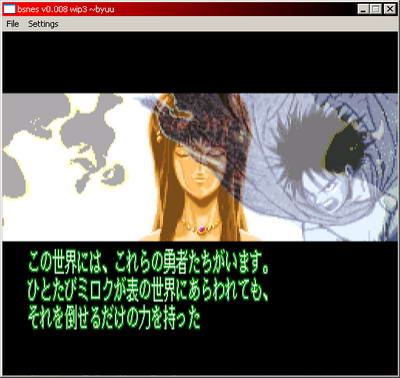
- I also went ahead and updated my BG/OAM priorities against anomie's excellent PPU doc. Turns out I had modes 2-6 wrong, and mode7 extbg wrong. I still don't understand mode7 extbg, so that's still wrong, but I fixed the rest. This fixes invisible graphics in Madara 2 (which now seems completely playable), GOD, and probably other games as well.
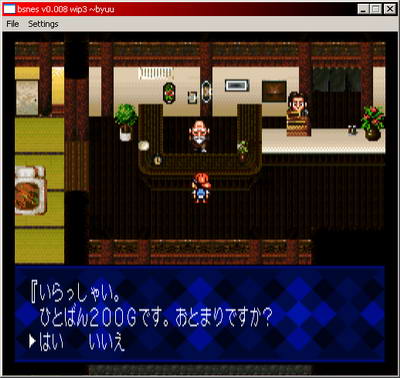
- Emerald Dragon also started working recently. I don't know when or how, but eh: I'm not complaining.
- Here's some new screenshots showing off the various bugfixes mentioned above. The first two are 512x448 screenshots because the games use hires mode
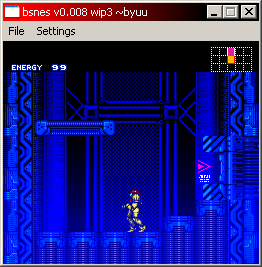
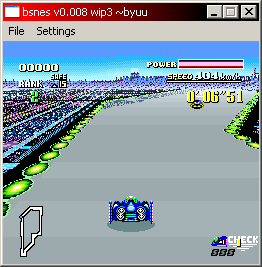
- 06/24/2005
- Lots of new stuff today. I fixed dq3r's text windows first. Apparently, I had the VRAM remapping code wrong. You multiply the VRAM offset by 2 after adjusting the 16-bit address. Strange. This also fixed the graphics in FFMQ! Awesome. Now I just need to try not to break the game every other release :D
- Fixed a bug where I was trying to speed the emulator up by not bothering processing pixels where the windows blocked their rendering. By not doing this, I wasn't incrementing their x position, so it was pushing BGs to the right. This effect actually looked really awesome in Chrono Trigger, but it looked terrible in Super Mario: All Stars. And given I'm going for accuracy, I went ahead and fixed it to work as it should.
- I added in the 32-bit mode code to handle the variable scanline resolution stuff. So now if you use 32-bit mode and disable video RAM, the high-res games will work properly.
- I nuked the new lookup-table based add/sub code. Turns out it was consuming 8mb of RAM instead of 4. For a 2-3fps increase, it just wasn't worth it, so I replaced the routines with pure math algorithms instead. The even older version still relied on simple lookup tables. Hopefully this will help out on systems with less L2 cache.
- I also added in an option for a video color curve, which is the same color curve used in Super Sleuth. Full credit goes to Overload for the ingenius idea. While I was at it, I added the option to toggle the FPS counter to the GUI.
- The reason FF5's title screen sprites were not working was because I had the priorities messed up in the mode7 rendering routine. I haven't tried RTK again, but I'm pretty sure that failed because I didn't even call the sprite rendering function for mode 3. Oops.
- Now for some screenshots. The first two are showing off bug fixes, the next two are showing off previously working games with the color curve. The fourth is specifically showing off how 512x224 mode graphics are translated to 256x224 mode. Note how the text is still readable, despite being crushed in half. Also: the fourth screenshot was grabbed by using the debugger and advancing frame by frame. Every other frame does not render properly in Madara 2, still. I've been trying and trying to fix the split-screen mode games, but I just can't seem to find what's wrong. All of my split-screen test demos I wrote myself work just fine, though.
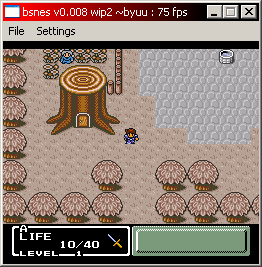
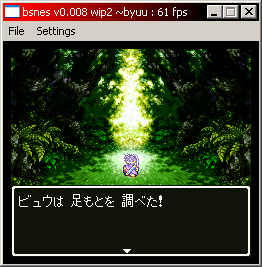
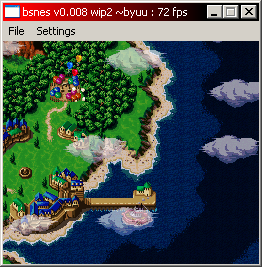
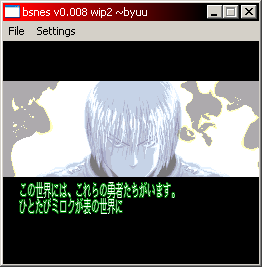
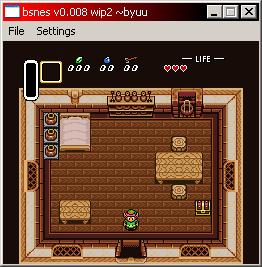
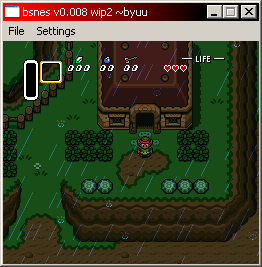
- These next four screenshots just show the difference between the color curve being off (left two screenshots), and on (right two screenshots). Note that the effect doesn't always look good, especially in games that are very dark to begin with. Hence why it's optional. The effect works best in 32-bit color mode, but works pretty well in 16-bit mode as well.
Karakuri Kengou Den Musashi Lord: Karakuribito Hashiru
Игры NES / Dendy



» Picostation PS1 23:20
» [GCN] GameCube — тест не- и малопопулярных игр 22:12
» [SNES] Super Mario World - нужна помощь с графикой 22:10
» Angry Video Game Nerd и другие 21:55
» Картридж PS1 для PIO порта 21:24
» Эротизм в играх 21:16
» RTHextion: новый hex-редактор для ромхакинга и переводов 21:11
» [SMD] Создание собственной многоигровки на одном чипе 20:59
» Playstation 1 без звука с Audio CD 20:11
» [3DO] Mortal Kombat II: 3DO Edition 20:04
» Пройденные игры 19:45
» Не пройденные (заброшенные) игры 18:56
» [GBA] Sigma Star Saga 17:01
» Balloon Fight - 4 players hack 14:39